Every business owner, project manager, and bookkeeper eventually hits the Multi-Line Dilemma.
You buy $3,200 of supplies from Home Depot, order office hardware from Amazon Business, or receive a detailed hotel invoice after a conference. The bill doesn’t contain a single expense—it contains 15 distinct line items: framing lumber, boxes of screws, drill bits, delivery charges, and local sales taxes.
When it comes time to log that expense, traditional bookkeeping forces an impossible tradeoff:
-
Option A: Log only the $3,200 Master Total.
Your main expense spreadsheet stays clean, and monthly totals remain easy to scan. But you completely lose SKU-level visibility. When you need to estimate the next project or check what you paid per box of screws, you have to hunt down the physical paper receipt or dig through email archives. -
Option B: Log all 15 line items as individual rows in your general ledger.
You retain every SKU and line total, but your master ledger gets violently cluttered with $4 boxes of fasteners and line-item delivery fees. Your high-level financial overview drowns in noise.
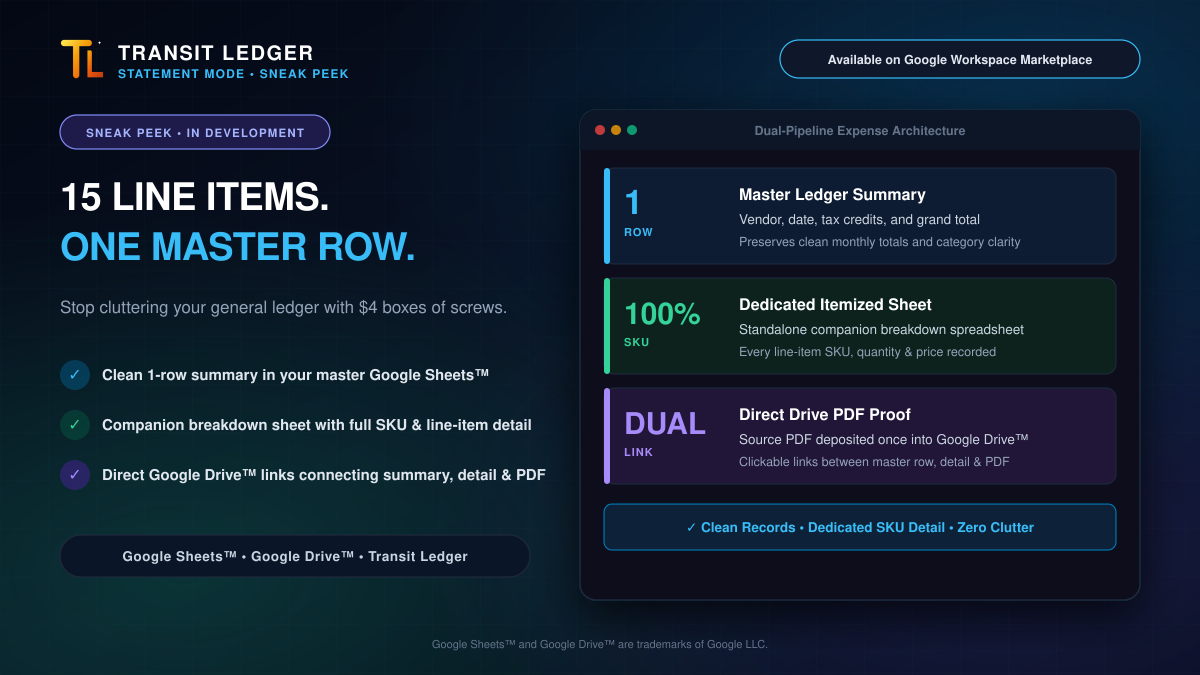
Neither compromise works. We engineered Transit Ledger Statement Mode with a Dual-Pipeline Architecture to deliver both: clean high-level expense ledgers and granular SKU item detail.
[!NOTE] Engineering in the Open — Feature Preview: Statement Mode is currently in active development for Transit Ledger, slated for release in Q4 2026. Here is an early architectural look at how we’re solving the multi-line invoice dilemma.
The Dual-Pipeline Architecture
When you process an itemized invoice or statement through Transit Ledger, our engine extracts both the high-level invoice metadata and the itemized line array in a single processing pass—filing the proof directly into your Google Drive™ and generating two connected records:
flowchart TD
    A["Detailed Invoice Uploaded in Transit Ledger"] --> B["Multimodal Processing Engine"]
    B --> C["Single PDF Saved to Google Drive™"]
    B --> D["Master Ledger Summary (1 Row in Google Sheets™)"]
    B --> E["Dedicated Companion Breakdown Spreadsheet (2 Tabs)"]
    C -. Direct Link .-> D
    C -. Direct Link .-> E
    E -. Direct Link .-> D
1. The Clean Master Ledger Row
In your main Google Sheets™ expense book, Transit Ledger logs exactly one balanced row:
* Transaction Date & Vendor: Cleanly identified (e.g., Home Depot).
* Financial Summary: Subtotal, categorized tax credits, and the grand total ($3,284.10).
* Direct Drive Link: A clickable link straight to the original PDF stored securely in your Google Drive™.
* Companion Sheet Link: A direct link to the dedicated itemized breakdown spreadsheet.
Your monthly expense totals, category summaries, and P&L entries remain uncluttered and instantly readable.
2. The Dedicated Itemized Companion Spreadsheet
Simultaneously, Transit Ledger creates a separate, structured companion spreadsheet named specifically for that invoice (TL-[Company]-INV-HomeDepot-2026-08-15-99214):
* Tab 1 (Summary): Displays vendor information, PO number, invoice number, tax breakdowns, and a verification seal confirming the line totals mathematically balance the grand invoice total.
* Tab 2 (Line Items): A clean tabular sheet recording every single line item:
* Line #
* SKU / Item Code
* Description
* Quantity
* Unit Price
* Line Total
Why Dual-Pipeline Beats Traditional Tools
- Zero General Ledger Pollution: Your main bookkeeping ledger stays high-level, elegant, and ready for your accountant or tax preparer.
- Instant SKU Recall: Need to check what you paid for 2x4 lumber or compare vendor pricing? Open the dedicated breakdown sheet directly from the link in your master row.
- Zero Database Retention: Transit Ledger never stores your invoices, banking data, or item details on our servers. Your financial files live exclusively in your own Google Drive™ and Google Sheets™.
- Clean CSV Export: When an accountant downloads the
Line Itemstab from Google Sheets as a CSV, it automatically saves with a collision-free filename ready for enterprise inventory and job-costing systems.
Feature Preview: Coming in Q4 2026
Transit Ledger’s single-receipt intake engine is live today on Google Workspace Marketplace. Statement Mode—including dual-pipeline invoice breakdowns and automated bank reconciliation—is currently in active testing across private development cohorts and will roll out to all active Transit Ledger tiers in Q4 2026.
Keep Your Books Balanced and Your Desk Clear
Stop choosing between messy spreadsheets and missing item details. Protect your time, maintain tax-ready records, and keep your books clean.
👉 Install Transit Ledger on the Google Workspace Marketplace
Experience Clean Google Sheets™ Bookkeeping
Transform messy receipts and multi-line invoices into structured Google Sheets™ entries with direct Google Drive™ source proof.
Try Transit Ledger FreeGoogle Sheets™, Google Drive™, and Google Workspace™ are trademarks of Google LLC.