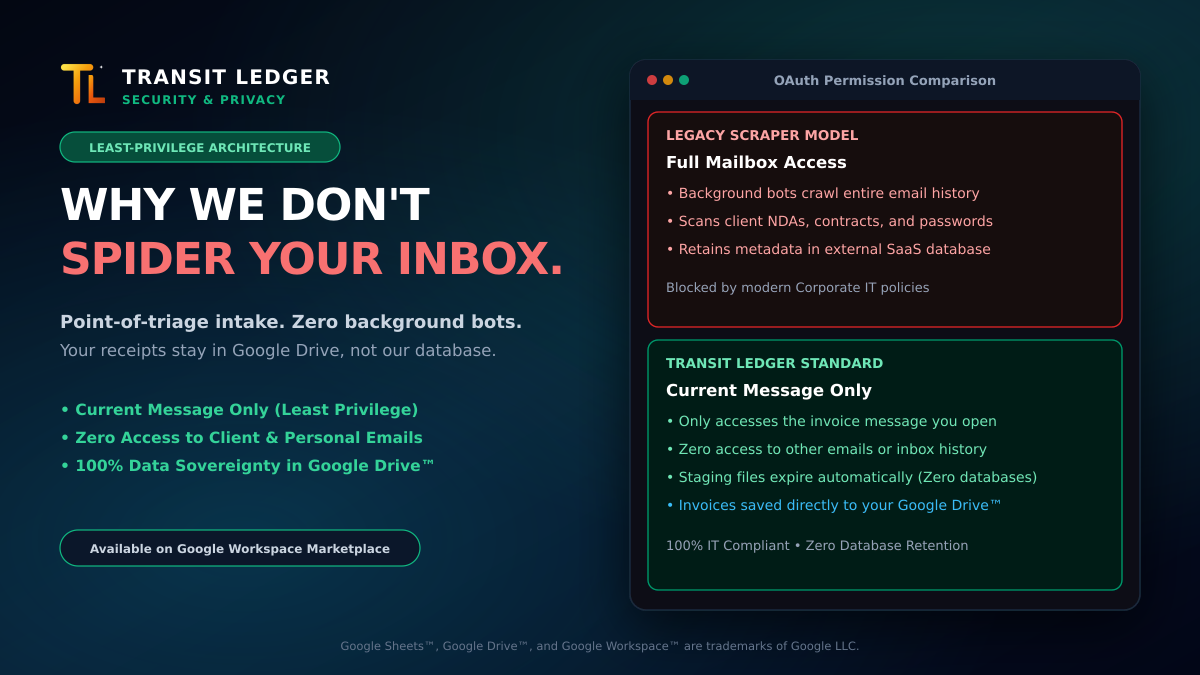
Install a typical automated receipt-tracking tool, and the very first setup step often asks for an alarming level of trust: full, unrestricted read access to your entire email account.
To catch a handful of software subscription invoices each month, these platforms request the broad https://mail.google.com/ OAuth scope. That means the scraper has complete access to your entire mailbox—granting their external servers the ability to crawl, index, and parse every email in your account, both historical messages and new incoming mail.
For any business handling sensitive operations, that permission model is an immediate security liability.
What Lives Inside a Business Inbox
Consider the information that routinely passes through a founder’s, executive’s, or bookkeeper’s inbox:
- Confidential client correspondence, non-disclosure agreements, and contract drafts.
- Founder-investor updates, cap table discussions, and sensitive bank statements.
- Employee payroll discussions, salary negotiations, and HR records.
- Password reset links, multi-factor codes, and infrastructure alerts.
Automated background spiders do not distinguish between a $15 software receipt and a confidential legal settlement. The crawler ingests message headers, sender metadata, and message bodies into a third-party SaaS database.
If that third-party provider suffers an API leak, an infrastructure misconfiguration, or an employee credential compromise, your entire email archive becomes part of the blast radius.
Why Corporate IT Admins Block Mailbox Spiders
Security teams and Google Workspace™ administrators are increasingly revoking and blocking unrestricted mailbox access in the Google Workspace Admin console. Handing master keys to an expense utility violates basic data governance principles:
- Violation of Least Privilege: An application should only have access to the exact data required to perform its function. An expense tool does not need access to client communications or password reset emails.
- Third-Party Data Silos: When an external service spiders your inbox, copies of your correspondence and metadata are stored on servers outside your corporate perimeter.
- Categorization Noise: Automated crawlers frequently misclassify order confirmations, flight itineraries, shipping notifications, and newsletter receipts as business expenses, creating extra cleanup work for finance teams.
The Architecture: Point-of-Triage & Zero Database Retention
When we built Transit Ledger, we designed the entire intake pipeline around a strict security principle: user-directed point-of-triage execution with Zero Database Retention.
Instead of running background spiders across your mailbox, Transit Ledger operates as a native Google Workspace Add-on built on least-privilege infrastructure:
- Current Message Only: Transit Ledger operates strictly on the receipt you choose to log. It can only read the specific email you have actively open on your screen when you click “Process Receipt” in the Gmail™ sidebar. It cannot view your inbox message list, cannot search your mailbox history, cannot access drafts, and cannot touch personal threads.
- Zero Background Crawlers: There are no background bots crawling your account while you sleep. The engine executes strictly when you tell it to run.
- Processed in Temporary Storage: Documents are parsed in temporary storage to extract vendors, dates, line items, and taxes. The extracted row is appended directly to your Google Sheets™ workbook, and the PDF receipt is saved directly to your Google Drive™ folder.
- Zero Database Retention: Transit Ledger never retains your receipts, invoice PDFs, or transaction rows in an external database. If you uninstall Transit Ledger tomorrow, 100% of your records and files remain in your Google account.
Control Over Your Corporate Data
You shouldn’t have to trade corporate privacy for receipt automation.
By enforcing least-privilege permissions and direct storage in Google Drive and Google Sheets, you get clean, structured financial ledgers while keeping your company correspondence strictly private.
- Available on Google Workspace Marketplace: Install Transit Ledger
- Read our production launch story: From Spreadsheet Chaos to Google Marketplace
- Explore features and architectural details at transit-ledger.com